


















SAMURAI War Thunder guide: Loader launch steps
Step-by-step SAMURAI War Thunder launch: Samurai Loader, aces.exe attach, BattlEye notes, Windows 10–11, Steam/VK Play and common errors.

SAMURAI War Thunder launch guide
Official steps for SAMURAI on War Thunder. After payment the key and a short note arrive by email — full flow below.
Supported platforms
- Steam and VK Play (other PC clients — compatibility may vary)
- Modes: Arcade / Realistic / Simulator
- OS: Windows 10–11 x64 (22H2–25H2)
- CPU: Intel / AMD x64 (no ARM / 32-bit)
Before launch
- Add Samurai Loader and the cheat folder to antivirus exclusions (or disable third-party AV temporarily).
- BattlEye has been active in War Thunder since December 2024 — use only the current SAMURAI build from Samurai Cheats.
- Secure Boot / HVCI may block the driver — check BIOS and Windows Core Isolation if the driver fails.
- Sync Windows date and time.
- Run Loader as administrator.
Launch order
- Start Samurai Loader → sign in → War Thunder tab.
- Loader loads the driver and payload.
- Launch War Thunder (Steam / VK Play) → wait for the main menu.
- Wait for attach to aces.exe (up to 60 seconds).
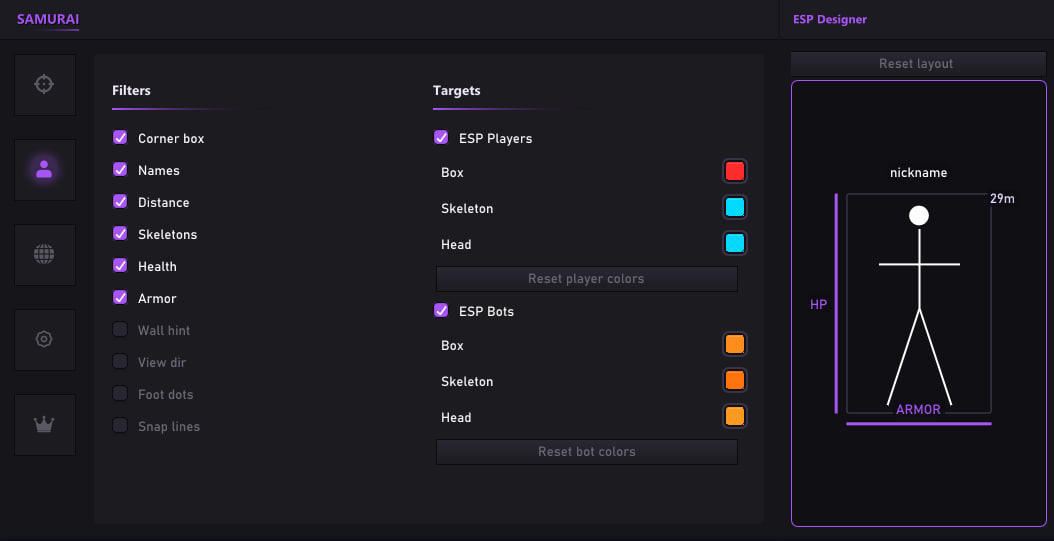
- INSERT (default) — open SAMURAI menu.
Panic (END default) — instant cheat shutdown.
Default hotkeys
| Action | Key |
|---|---|
| Menu | Insert |
| Panic | End |
| Prediction toggle | configurable in menu |
UI language: RU / EN — sidebar switch.
Common issues
| Symptom | Check |
|---|---|
| No aces.exe attach | Game not at main menu; restart WT and Loader |
| Driver not loaded | Secure Boot / HVCI / AV; run as admin |
| Key rejected | Verify key, Windows time, internet |
| Menu won't open | Wait for attach; check Menu key in config |
Recommended hardware
- CPU: Intel Core i5/i7 (6+ cores) or AMD Ryzen 5/7
- RAM: 16 GB
- GPU: GTX 1060 / RX 580 or better
- Monitor: 1920×1080+
After launch
- Save your config via Save — ESP layout and all settings go to the profile.
- Product status: cheat status news. Badge meanings: Undetected / On Update / Detected.
Was this article helpful?
Your anonymous feedback helps us improve content